
iPhone Mockup Generator
Free. No account. Every current iPhone model — including iPhone 16 Pro with Dynamic Island.
No account needed · Image mockups always free · Video on Pro
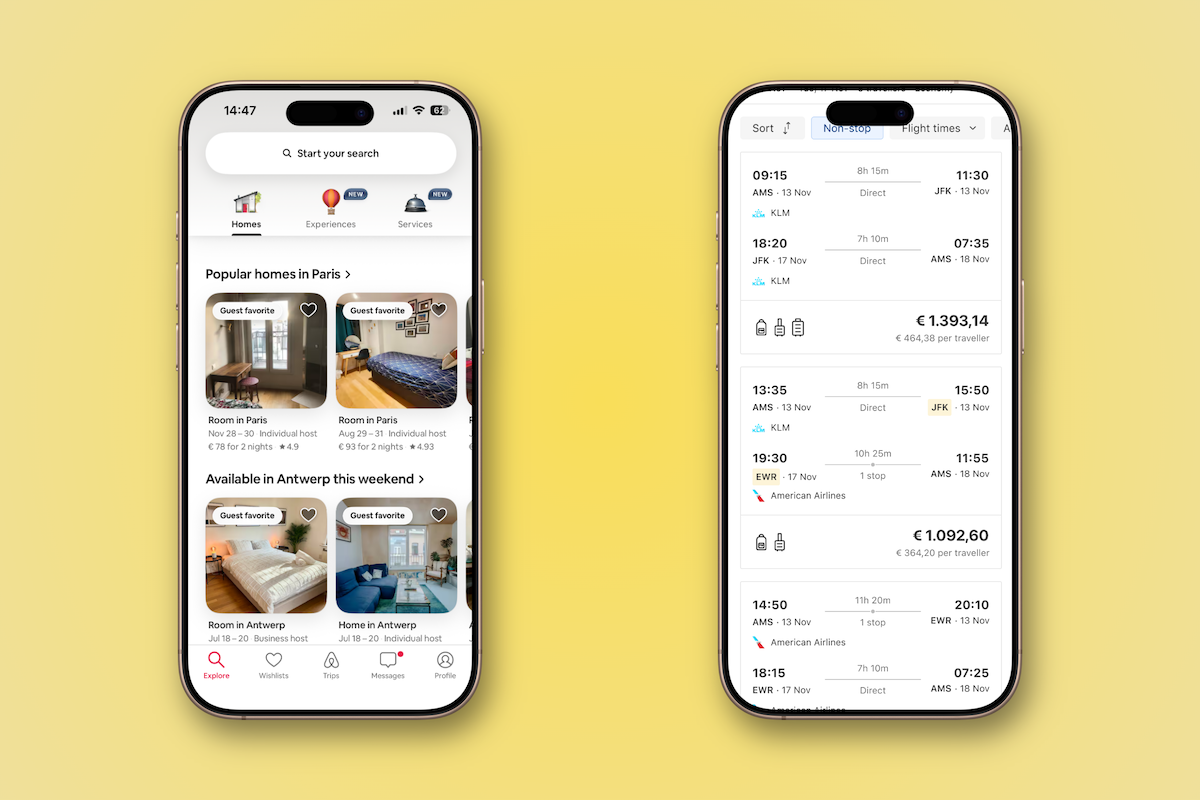
The fastest iPhone mockup tool on the web
Upload your app screenshot, pick an iPhone model, choose a background, and download. That's the entire workflow. Mock Magic is purpose-built for this one task — there's no canvas to configure, no layers to manage, no Photoshop template to track down and adapt.
The iPhone frames in Mock Magic are pixel-accurate and kept up to date. When Apple releases a new device, the library gets updated. That includes the Dynamic Island on iPhone 15 Pro and all iPhone 16 models — the cutout is rendered exactly as it appears on the real hardware.
Designing for Dynamic Island
If your screenshot targets iPhone 15 Pro or 16 models, make sure your
UI respects the top safe area inset (safeAreaInsets.top in SwiftUI, or window.safeAreaInsets.top on the web). Mock Magic renders your screenshot accurately inside the
frame — but safe area compliance is handled in your design tool, not here.
App Store screenshot sizes per iPhone model
Apple requires screenshots at exact resolutions for each device in App Store Connect. Uploading the wrong size causes a validation error. The table below covers all currently required device sizes:
| Model | Required resolution | Ratio | Top cutout |
|---|---|---|---|
| iPhone 16 Pro Max | 1440 × 3088 px | 19.5:9 | Dynamic Island |
| iPhone 16 Pro | 1320 × 2868 px | 19.5:9 | Dynamic Island |
| iPhone 15 Pro Max | 1290 × 2796 px | 19.5:9 | Dynamic Island |
| iPhone 15 Pro | 1179 × 2556 px | 19.5:9 | Dynamic Island |
| iPhone 15 | 1179 × 2556 px | 19.5:9 | Dynamic Island |
| iPhone 14 | 1170 × 2532 px | 19.5:9 | Notch |
| iPhone SE (3rd gen) | 750 × 1334 px | 16:9 | Home button |
Source: Apple App Store Connect screenshot specifications. Mock Magic exports at resolutions that meet these requirements.
What to make with an iPhone mockup
App Store screenshots
Most users decide to download before reading a word of your description — they look at screenshots first. A framed screenshot with a clean background outperforms a raw UI export in every A/B test.
App Store preview videos (Pro)
Apple allows short video previews on your listing. A screen recording inside an iPhone frame converts significantly better than raw footage. Available on Pro.
Portfolio case studies
iOS work shown in an iPhone frame communicates scale, context, and real-world fit in a way that a flat artboard never does — especially on Dribbble and Behance.
Social media and ads
iPhone mockups with gradient backgrounds are one of the highest-performing formats for app content on Instagram, LinkedIn, and Meta Ads.
Client presentations
Show your client their app on a real device. The jump from artboard to iPhone frame immediately shifts how they perceive the work.
Landing page hero images
A clear iPhone mockup showing your app in the hero section of your landing page communicates the product faster than any headline can.
iPhone video mockup created with Mock Magic Pro — a screen recording inside an iPhone 16 Pro frame.
Pro feature
Video inside an iPhone frame
Upload an MP4 or WebM screen recording — it plays inside the iPhone frame of your choice. Export a polished video mockup for your App Store listing, landing page, or social ad. Image mockups are free forever.
Frequently asked questions
What size should my screenshot be for an iPhone 16 Pro mockup? ↓
For the iPhone 16 Pro, Apple requires App Store screenshots at 1320×2868px. For iPhone 16 Pro Max: 1440×3088px. Mock Magic exports at high resolution compatible with these requirements.
Does Mock Magic support the iPhone Dynamic Island? ↓
Yes. iPhone 15 Pro and iPhone 16 frames in Mock Magic include the Dynamic Island cutout. Make sure your screenshot respects the safe area below the Dynamic Island when designing your UI.
Can I create a free iPhone mockup without signing up? ↓
Yes. Unlimited iPhone image mockups are completely free and require no account. Just upload your screenshot and export.
Can I put a video inside an iPhone frame? ↓
Yes. Upload an MP4 or WebM screen recording and it will play inside the iPhone frame. iPhone video mockups are available on the Pro plan at €7.99/month.
How do I make an iPhone mockup for the App Store? ↓
Take a screenshot of your iOS app at the required resolution, upload it to Mock Magic, select the matching iPhone model, add a background, and export. The result is ready to upload directly to App Store Connect.
Which iPhone models are available in Mock Magic? ↓
Mock Magic includes frames for iPhone 16 Pro Max, iPhone 16 Pro, iPhone 15 Pro, iPhone 15, iPhone 14, iPhone SE, and more. The library is updated as Apple releases new models.